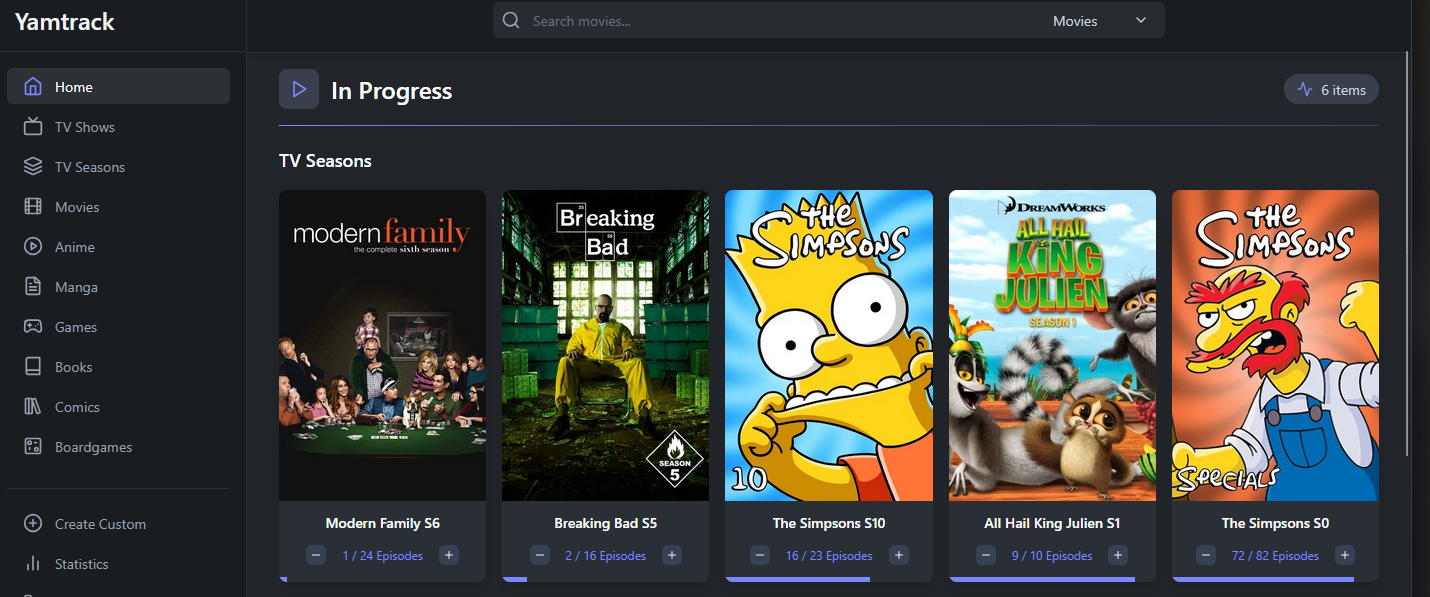
YamTrack
Install
services:
  yamtrack:
    container_name: yamtrack
    image: ghcr.io/fuzzygrim/yamtrack:api
    restart: unless-stopped
    depends_on:

      - redis
    env_file:
      - .env
    environment:
      - PUID=${PUID}
      - PGID=${PGID}
      - TZ=America/Vancouver
      - REGISTRATION=False
      - ADMIN_ENABLED=True
      - REDIRECT_LOGIN_TO_SSO=True
      - REDIS_URL=redis://redis:6379
      - SOCIAL_PROVIDERS=allauth.socialaccount.providers.openid_connect
      - SOCIALACCOUNT_PROVIDERS_FILE=/run/secrets/oidc
    secrets:
      - oidc
    volumes:
      - ./db:/yamtrack/db
    ports:
      - "8960:8000"

  redis:
    container_name: yamtrack-redis
    image: redis:8-alpine
    restart: unless-stopped
    volumes:

      - redis_data:/data

volumes:
  redis_data:
    name: redis_data

secrets:
  oidc:
    file: ./oidc.json
- requires both main Django app and Redis
redis_datapersisted in volume while Yamtrack DB data is of correct permission- use secrets file instead of environment
- the API is a specific branch
api, which is a feature not found inlatest
Usage
- the environment variables
TRAKT_APIandTRAKT_API_SECRETmust be set - the redirect URI must match exactly
YamTrack also support importing from CSV file, which are also offered as a way of export.
"media_id","source","media_type","title","image","season_number","episode_number","score","status","notes","start_date","end_date","progress","created_at","progressed_at"
192141,tmdb,movie,,,,,,Completed,,,2023-02-26T05:22:01.365Z,,,
Note: the row must have all fields present even if only few are required
media_id: the TMDB ID- this can be either quoted string or integer
source: tmdbmedia_type: movie- status: Completed (or Planned, In Progress)
end_date: when date when the movie was watched2019-12-10 23:10:00-08:00also include timezone
When importing via CSV, if a record already exist, it will not be imported or updated.
TV Import, it consists of 3 parts
TV
- media_id, source, media_type
- status
Season
- season_number
Episode
- episode_number, end_date
when importing, the season progress will only resolve shortly after
Episode
Jellyfin Import
Uses a custom script, support either API or CSV dump.
Import a specific Jellyfin user via CSV
- this creates
yamtrack_import.csvto the current directory
Import using the API (must use the api image)
python jf2yamtrack.py --jellyfin http://jellyfin --user your_username --jfapi API_KEY --yamtrack http://yamtrack --yapi YAMTRAK_API_KEY --api --dry-run
- uses dry run by default
- must import to YamTrack per Jellyfin user and create the user beforehand
API
To authenticate with the API, use the key from /settings/integrations and the header is X-api-key:
- each user is identified by their API Token
Get Movies
- while
.pagination.nextis notnull, keep requesting for next - this can be used to create an offline copy
Useful Fields
.item.media_id: TMDB IDend_date: most relevant field, when the movie was watched
The API also returns status field which is mapped:
- 3: Completed, In Progress
- 0: Planning
- 2: Paused
- 4: Dropped
POST Movies
media_type: movie
Minimum required payload
- this can be run repeatedly
- but it will create a new watched entry
Partial Update of a media item
- media_type: movie, source: tmdb, media_id: TMDB ID
Minimum required payload
The best flow is to check for whether a movie is already tracked
{{baseUrl}}/api/v1/media/:media_type/:source/:media_id/- if
idit not null - or check whether
media_idexists in list of all movies
Configuration
Here is the content of .env file
SECRETis used for the app
For OIDC, it uses a JSON file rather than environment string. Full configuration.
User Management
The following changes are enabled in Docker compose environments
REGISTRATION=FalseADMIN_ENABLED=TrueREDIRECT_LOGIN_TO_SSO=True
Since registration is disabled, new users must be created in the /admin interface, /admin/users/user/add/
If there are errors with adding users
wget https://raw.githubusercontent.com/FuzzyGrim/Yamtrack/refs/heads/dev/src/users/migrations/0051_user_obfuscate_unseen_episodes.py
docker cp 0051_user_obfuscate_unseen_episodes.py yamtrack:/yamtrack/users/migrations
docker exec -it yamtrack python manage.py makemigrations                 docker exec -it yamtrack python manage.py migrate
- this re-apply missing migrations
Integration
Uses Jellyfin webhook for syncing data after a movie is watched.
http://10.10.120.16:8096/web/#/configurationpage?name=Webhook
- the integration page has the necessary instructions
- each user should have their specific API endpoint
Deployment
Standard reverse proxy procedure, no Authelia snippet required.
Does not support subfolder (even though it’s possible given the documentation). Subdomain is required.
Progressive web app is available.
SSO
https://github.com/FuzzyGrim/Yamtrack/wiki/Social-Authentication-in-Yamtrack#openid-connect-authelia-authentik-keycloak-etc
Normal OIDC configuration applies for Authelia, but this is required.
OIDC
- token_endpoint_auth_method need to be client_secret_post
- users are not automatically provisioned (require manual linking of user and OIDC user)
Creating users (if registration is disabled)
- user must be created manually in admin interface
- use this URL to login locally first
/accounts/login/?loggedout=1 - link the account manually
SSO Behavior
| In Yam | Not in Yam | |
|---|---|---|
| In Authelia | Requires manual linking | Registration disabled or new user created |
| Not in Authelia | Local signin only or Forbidden | Forbidden |
SSO behavior depends on REGISTRATION= environment | ||
| - if it’s set to disabled, user cannot be created (even if valid in Authelia) |
All SSO user require manual linking before they can sign-in via SSO
- manually create the user via
/adminpanel - login locally first, may need this URL if set to auto-redirect
- go to
/accounts/3rdparty/to add a 3rd-party account via SSO
Backup/Restore
Simply copy the container appdata. Or use the CSV export.
Scripting Import (for personal documentation only)
Setup the environment with yamtrack.sh
python3 jf2yamtrack.py --jellyfin $JELLYFIN --user $YUSER --jfapi $JF_API --yamtrack $YAMTRACK --yapi $YAPI --api --dry-run
Dump entire history for a user (as source of truth)
- this saves a JSON as
jellyfin_user.jsonin current directory - use previous command to change environments
Final files yamtrack.sh, jf2yamtrack.py, backup_yamtrack.py