Forgejo
Docker Apps Rating
| U/GID | TZ | SSO/Users | Existing FS | Portable | Subfolder | Mobile |
|---|---|---|---|---|---|---|
| ✅ | ✅ | ✅👪 | ✅ | ✅ | ✅ | ✅ |
Install
services:
  forgejo:
    image: codeberg.org/forgejo/forgejo:12
    container_name: forgejo
    environment:

      - USER_UID=${PUID}
      - USER_GID=${PGID}
      - SSH_PORT=222
      - FORGEJO__server__SSH_DOMAIN=forgejo
    restart: unless-stopped
    networks:
      - public
    volumes:
      - ~/docker/forgejo:/data
      - /etc/timezone:/etc/timezone:ro
      - /etc/localtime:/etc/localtime:ro
    ports:
      - '3022:3000'
      - '222:222'

networks:
  public:
    external: true
- the
SSH_PORTand222:222are used so the display clone URL work as expected - similarly the
FORGEJO__server__SSH_DOMAIN=forgejo
Configuration
Follow the GUI for configs (e.g. username, password, base URL)
The configuration file is located in ./gitea/conf/app.ini, must change this important parameter
- otherwise keys added into the Web UI will be placed into
/root/.sshand further SSH authentication won’t work
SSH
Fix permission issue on Windows
SSH config file for Forgejo
Simply clone the SSH repo URL is enough
Mirror to Github
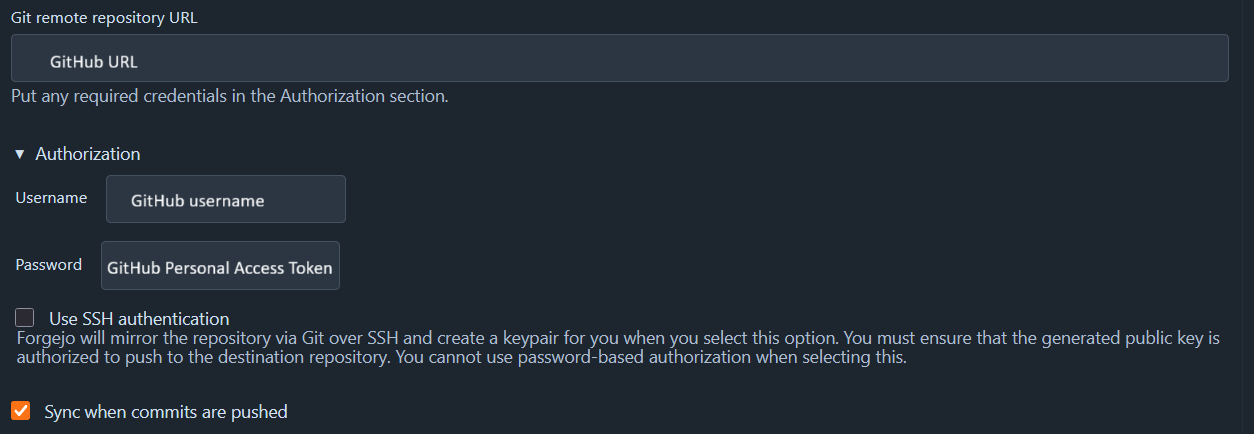
https://forgejo.org/docs/latest/user/repo-mirror/#setting-up-a-push-mirror-from-forgejo-to-github
This is done per project.
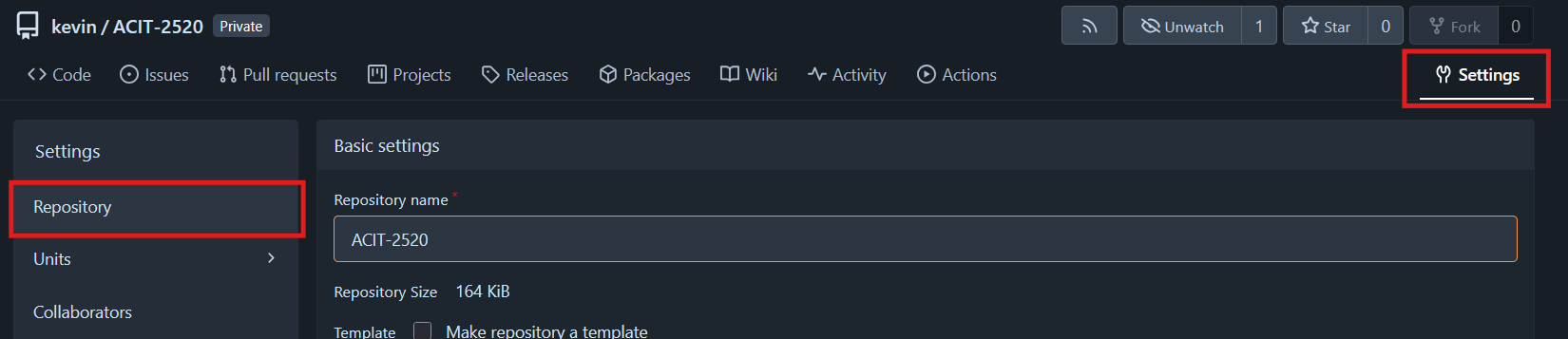
Settings>Repository>Mirror Settings